导航条置顶
1、简单的样式
 /*表格表单*/
        .table_form {
        	font-size: 12px
        }
        .table_form tr.odd{
        	background:#ccc;
        }
        .table_form td {
        	padding-left: 12px;
        	width:11%;
        }
        .table_form td.time{
        	background:#fff;
        	width:12%;
        }
        .table_form th {
        	font-weight: normal;
        	padding-right: 10px;
        	text-align:center;
        	background-color: #159776;
        }
        .table_form td{
        	text-align:center;
        }

        .table td{
        	text-align:left;
        }

        .table_form td label {
        	vertical-align: middle
        }

        .table_form td,.table_form th {
        	padding: 6px 0 6px 8px
        }

        .table_form tbody td,.table_form tbody th {
        	border: 1px solid ;
        }
2、html表格代码
<table width="100%" class="table_form table-fixed" id="table_form">
<thead class="thead">
<tr>
<th>nicheng</th>
<th>年龄</th>
<th>班级</th>
<th>科目</th>
<th>分数</th>
</tr>
</thead>
<tr>
<td>1111</td>
<td>1111</td>
<td>1111</td>
<td>1111</td>
<td>1111</td>
</tr>
3、最重要的js!!!!!!
<script src="https://code.jquery.com/jquery-3.2.1.min.js"></script>
<script>
    $(function() {
        var win = $(window),
            table = $('table.table-fixed'),
            thead = table.find('.thead'),
            offset = thead.offset();
        thead.find('th').each(function () {
            $(this).css({
                'width': $(this).width(),
                'min-width':100
            });
        });
        thead = thead.clone().insertBefore(thead).css('display', 'none');

        win.on('scroll', function () {
            var _top = win.scrollTop();
            if (_top >= offset.top) {
                thead.css({
                    display: 'block',
                    position: 'fixed',
                    left: table.offset().left - jQuery('body,html').scrollLeft(),
                    top: 0
                })
            } else {
                thead.css({
                    'display': 'none',
                    'position': 'static'
                })
            }
        });
    });
</script>
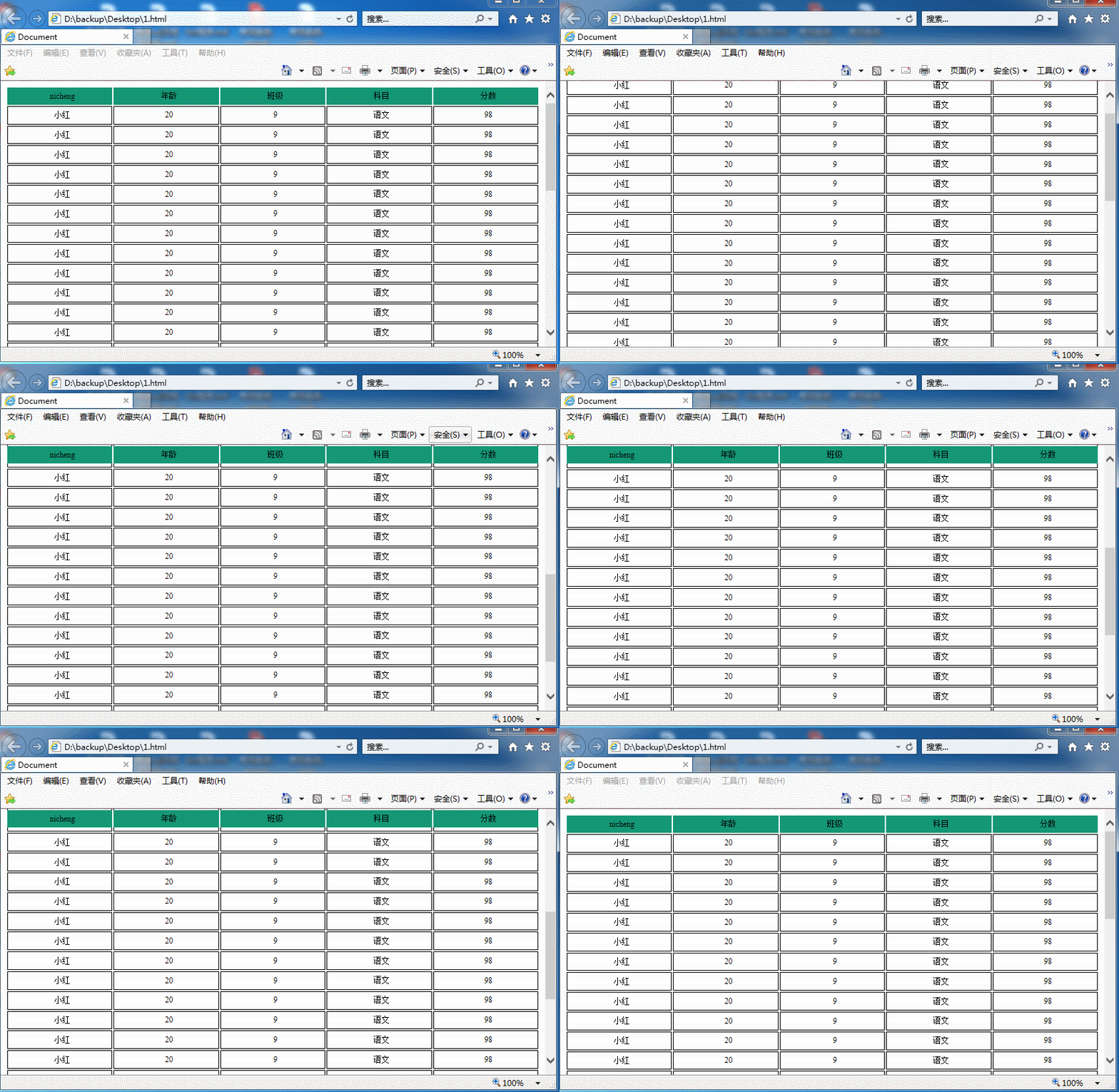
效果如图:
本文为崔凯原创文章,转载无需和我联系,但请注明来自冷暖自知一抹茶ckhttp://www.cksite.cn
- 上一篇: 分布式之redis复习精讲
- 下一篇: Seer – Windows 下的文件预览工具

请先登录后发表评论
- 最新评论
- 总共0条评论