PHPWord 打印 快递单/合同
使用PHPWord快速批量打印快递单。
打印快递单有个特点:被打印纸的背景是固定的!!
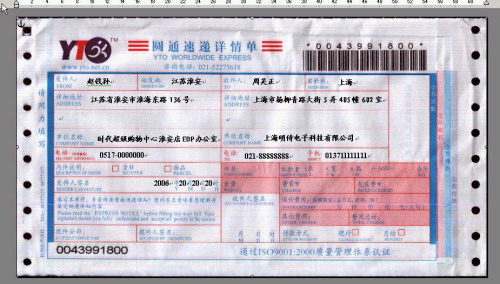
你只能 在合适的位置输入快递单的内容,操作步骤如下:
1、制作 word 模板
参考文章 “图解如何用打印机套打快递单”
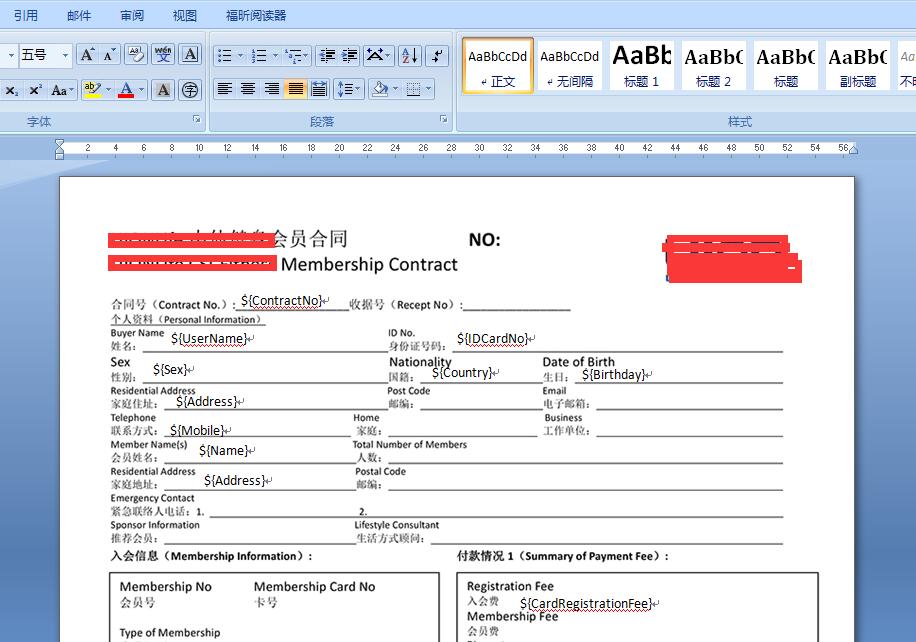
2、在 模板 中放置“占位符”
打开上面定制好的模板,在 文本输入框 中输入 占位符 文本,如:
用户名:${UserName}
身份证:${IDNo}
效果图如下:【注意:打印的时候,需要把背景图删除!】
这些占位符定义规则,是根据 PHPWord 库定义的,官方教程:
http://phpword.readthedocs.io/en/latest/templates-processing.html?highlight=replace
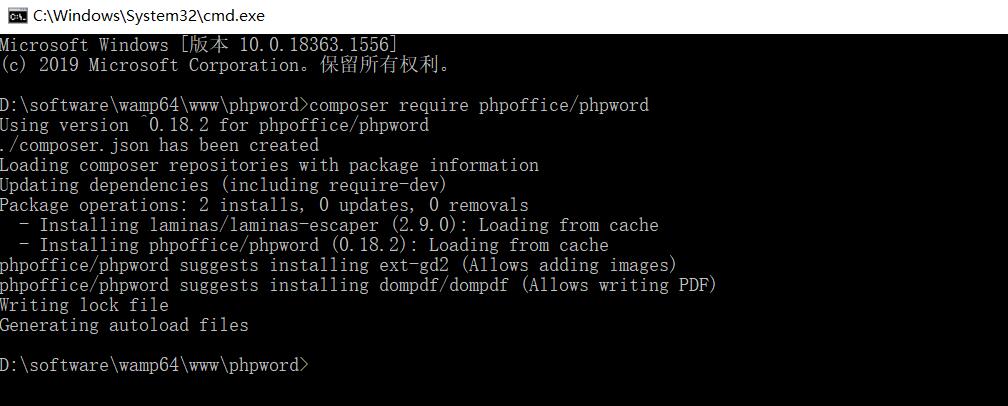
1、composer方式(推荐)
composer包地址:https://packagist.org/packages/phpoffice/phpword
composer require phpoffice/phpword
2、下载引入方式
github地址:https://github.com/PHPOffice/PHPWord
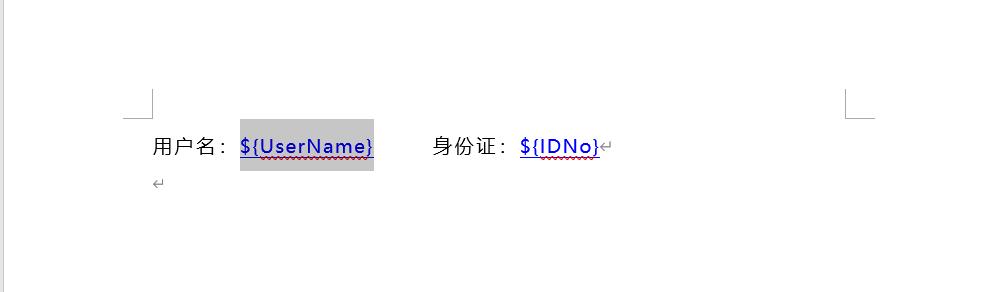
3、新建template_1.docx, 制作word模板文件:
用户名:${UserName} 身份证:${IDNo} 如图,所示
4、利用 PHPWord 库,可用动态地 修改替换占位符的内容,参考代码如下:
<?php
require_once './vendor/autoload.php';
use PhpOffice\PhpWord\PhpWord;
use PhpOffice\PhpWord\Settings;
use PhpOffice\PhpWord\TemplateProcessor;


// 模板文件
$tplFile ='./template_1.docx';

// 输出 word 文件名
$fileName = 'phpgo.docx';

// 实例化 模板器
Settings::setOutputEscapingEnabled(true);
$templateProcessor = new TemplateProcessor($tplFile);

// 替换 关键字
$templateProcessor->setValue('UserName', '刘德花22');
$templateProcessor->setValue('IDNo', '362422199607020812');
$templateProcessor->setValue('Sex', '女');

// 自动输出下载 word 文件
$tempFileName = $templateProcessor->save();
$docxData = file_get_contents($tempFileName);
unlink($tempFileName);

ob_start();
header("Cache-Control: public");
header("Content-type: application/octet-stream");
header("Accept-Ranges: bytes");
if (strpos($_SERVER["HTTP_USER_AGENT"], 'MSIE')) {
    header('Content-Disposition: attachment; filename=' . $fileName);
} else if (strpos($_SERVER["HTTP_USER_AGENT"], 'Firefox')) {
    header('Content-Disposition: attachment; filename=' . $fileName);
} else {
    header('Content-Disposition: attachment; filename=' . $fileName);
}
header("Pragma:no-cache");
header("Expires:0");
echo $docxData;
ob_end_flush();示例附件:链接:https://pan.baidu.com/s/1cqR09t4vkKVGybeAb6ZVHw 提取码:mto5
参考:
https://www.icode9.com/content-1-779849.html
https://blog.csdn.net/qq_34285103/article/details/80604927?utm_source=blogxgwz1
本文为崔凯原创文章,转载无需和我联系,但请注明来自冷暖自知一抹茶ckhttp://www.cksite.cn
- 上一篇: shell在手分析服务器日志不愁?
- 下一篇: SCWS 中文分词

- 最新评论
- 总共0条评论