elasticsearch常用命令
Node 与 Cluster
Elastic 本质上是一个分布式数据库,允许多台服务器协同工作,每台服务器可以运行多个 Elastic 实例。
单个 Elastic 实例称为一个节点(node)。一组节点构成一个集群(cluster)。
Index
Elastic 会索引所有字段,经过处理后写入一个反向索引(Inverted Index)。查找数据的时候,直接查找该索引。
所以,Elastic 数据管理的顶层单位就叫做 Index(索引)。它是单个数据库的同义词。每个 Index (即数据库)的名字必须是小写。
Document
Index 里面单条的记录称为 Document(文档)。许多条 Document 构成了一个 Index。
Document 使用 JSON 格式表示,下面是一个例子。
{
  "user": "张三",
  "title": "工程师",
  "desc": "数据库管理"
}
同一个 Index 里面的 Document,不要求有相同的结构(scheme),但是最好保持相同,这样有利于提高搜索效率。
命令行操作:
1、elasticsearch正常运行后,查看elasticsearch是否启动成功。请求该端口,会得到说明信息
[root@bogon bin]# curl localhost:9200
{
  "name" : "bogon",
  "cluster_name" : "elasticsearch",
  "cluster_uuid" : "LQtBy5jvT1KMa7WqktJYig",
  "version" : {
    "number" : "8.12.1",
    "build_flavor" : "default",
    "build_type" : "tar",
    "build_hash" : "6185ba65d27469afabc9bc951cded6c17c21e3f3",
    "build_date" : "2024-02-01T13:07:13.727175297Z",
    "build_snapshot" : false,
    "lucene_version" : "9.9.2",
    "minimum_wire_compatibility_version" : "7.17.0",
    "minimum_index_compatibility_version" : "7.0.0"
  },
  "tagline" : "You Know, for Search"
}
上面代码中,请求9200端口,Elastic 返回一个 JSON 对象,包含当前节点、集群、版本等信息。
2、查看ik的分词,我这里用的是:ik_max_word模式
curl -H "Content-Type: application/json" http://localhost:9200/_analyze?pretty=true -X POST --data '{ "text":"广东省佛山市","analyzer": "ik_max_word"}'
[root@bogon bin]# curl -H "Content-Type: application/json" http://localhost:9200/_analyze?pretty=true  -X POST  --data '{ "text":"广东省佛山市","analyzer": "ik_max_word"}'
{
  "tokens" : [
    {
      "token" : "广东省",
      "start_offset" : 0,
      "end_offset" : 3,
      "type" : "CN_WORD",
      "position" : 0
    },
    {
      "token" : "广东",
      "start_offset" : 0,
      "end_offset" : 2,
      "type" : "CN_WORD",
      "position" : 1
    },
    {
      "token" : "省",
      "start_offset" : 2,
      "end_offset" : 3,
      "type" : "CN_CHAR",
      "position" : 2
    },
    {
      "token" : "佛山市",
      "start_offset" : 3,
      "end_offset" : 6,
      "type" : "CN_WORD",
      "position" : 3
    },
    {
      "token" : "佛山",
      "start_offset" : 3,
      "end_offset" : 5,
      "type" : "CN_WORD",
      "position" : 4
    },
    {
      "token" : "市",
      "start_offset" : 5,
      "end_offset" : 6,
      "type" : "CN_CHAR",
      "position" : 5
    }
  ]
}
2、查看当前节点所有的index信息
[root@bogon bin]# curl -X GET 'http://localhost:9200/_cat/indices?v'
health status index     uuid                   pri rep docs.count docs.deleted store.size pri.store.size dataset.size
green  open   test2     TUsCx7TnRgq5Z6XK3Ltg_w   1   0          1            0      5.2kb          5.2kb        5.2kb
green  open   test3     iaihfdjQQYCxQkpvsDNMNw   1   0          1            0      5.2kb          5.2kb        5.2kb
3、新建和删除 Index
[root@bogon bin]#  curl -X PUT 'localhost:9200/weather2'
{"acknowledged":true,"shards_acknowledged":true,"index":"weather2"}
服务器返回一个 JSON 对象,里面的acknowledged字段表示操作成功。
然后,我们发出 DELETE 请求,删除这个 Index。
[root@bogon bin]# curl -X DELETE 'localhost:9200/weather'
{"acknowledged":true}
4、文档
查看某个索引的所有文档数据
[root@bogon ~]# curl -X GET "http://localhost:9200/user_index/_search"
{"took":278,"timed_out":false,"_shards":{"total":1,"successful":1,"skipped":0,"failed":0},"hits":{"total":{"value":6,"relation":"eq"},"max_score":1.0,"hits":[{"_index":"user_index","_id":"2","_score":1.0,"_source":{
    "username":"3cc",
    "phone":18749343823
}},{"_index":"user_index","_id":"3","_score":1.0,"_source":{
    "username":"kk",
    "phone":18749343823
}},{"_index":"user_index","_id":"4","_score":1.0,"_source":{
    "username":"aa",
    "phone":18749343823
}},{"_index":"user_index","_id":"5","_score":1.0,"_source":{
    "username":"cc2",
    "phone":18749343823
}},{"_index":"user_index","_id":"6","_score":1.0,"_source":{
    "username":"1cc2",
    "phone":18749343823
}},{"_index":"user_index","_id":"7","_score":1.0,"_source":{
    "username":"3cc",
    "phone":18749343823
}}]}}
查看某个索引的单一文档
[root@bogon bin]# curl 'localhost:9200/ringo/_doc/1?pretty=true'
{
  "_index" : "ringo",
  "_id" : "1",
  "_version" : 3,
  "_seq_no" : 2,
  "_primary_term" : 1,
  "found" : true,
  "_source" : {
    "name" : "李四233",
    "age" : 30,
    "describe" : "法外狂徒,李四"
  }
}
查找文档
根据username 包含ck 查找文档
# 根据username 包含ck 查找文档
[root@bogon www.es.com]# curl -H 'Content-Type: application/json' -XGET "http://localhost:9200/user/_search" -d '{"query":{"match":{"username":"ck"}}}'
{"took":29,"timed_out":false,"_shards":{"total":1,"successful":1,"skipped":0,"failed":0},"hits":{"total":{"value":2,"relation":"eq"},"max_score":0.6407243,"hits":[{"_index":"user","_id":"1","_score":0.6407243,"_source":{
    "username":"我是ck",
    "age": 10
}},{"_index":"user","_id":"3","_score":0.6407243,"_source":{
    "username":"我是ck",
    "age": 17
}}]}}[root@bogon www.es.com]#
postman操作
PUT 创建
GET 获取
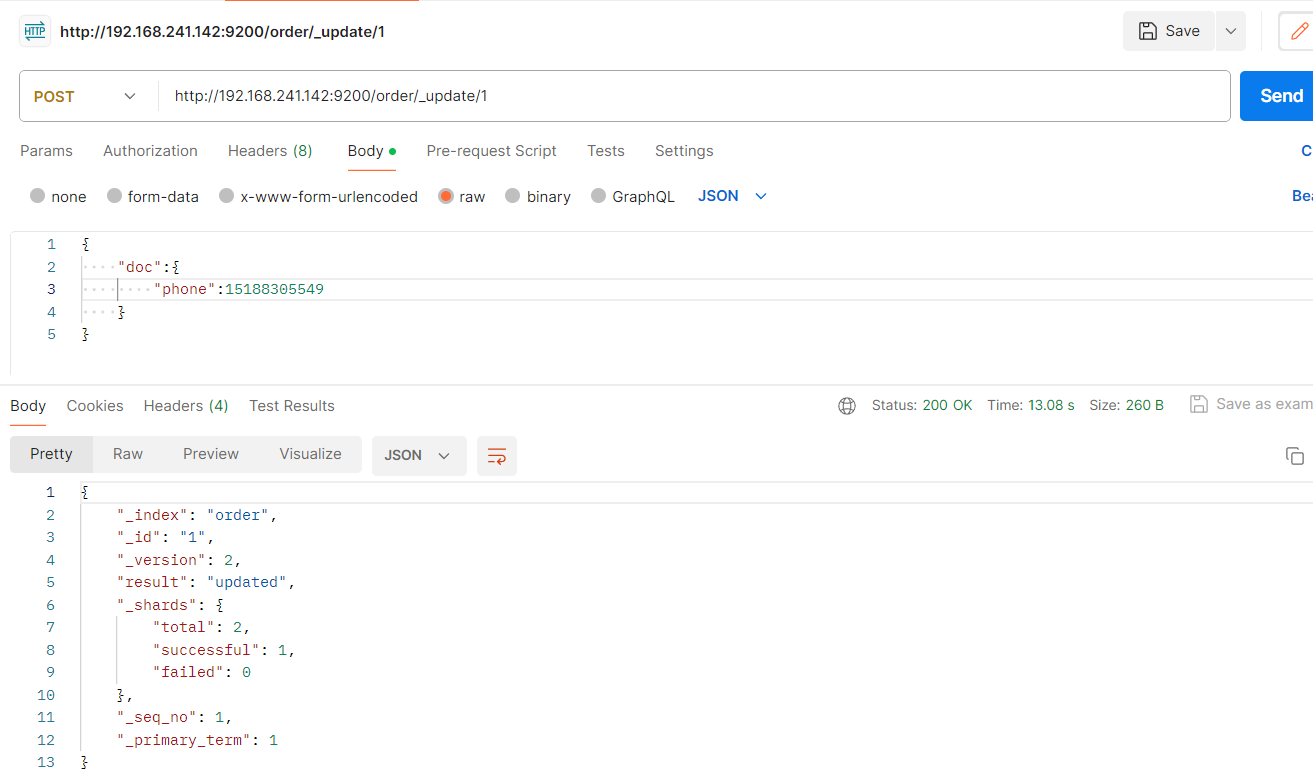
POST 更新
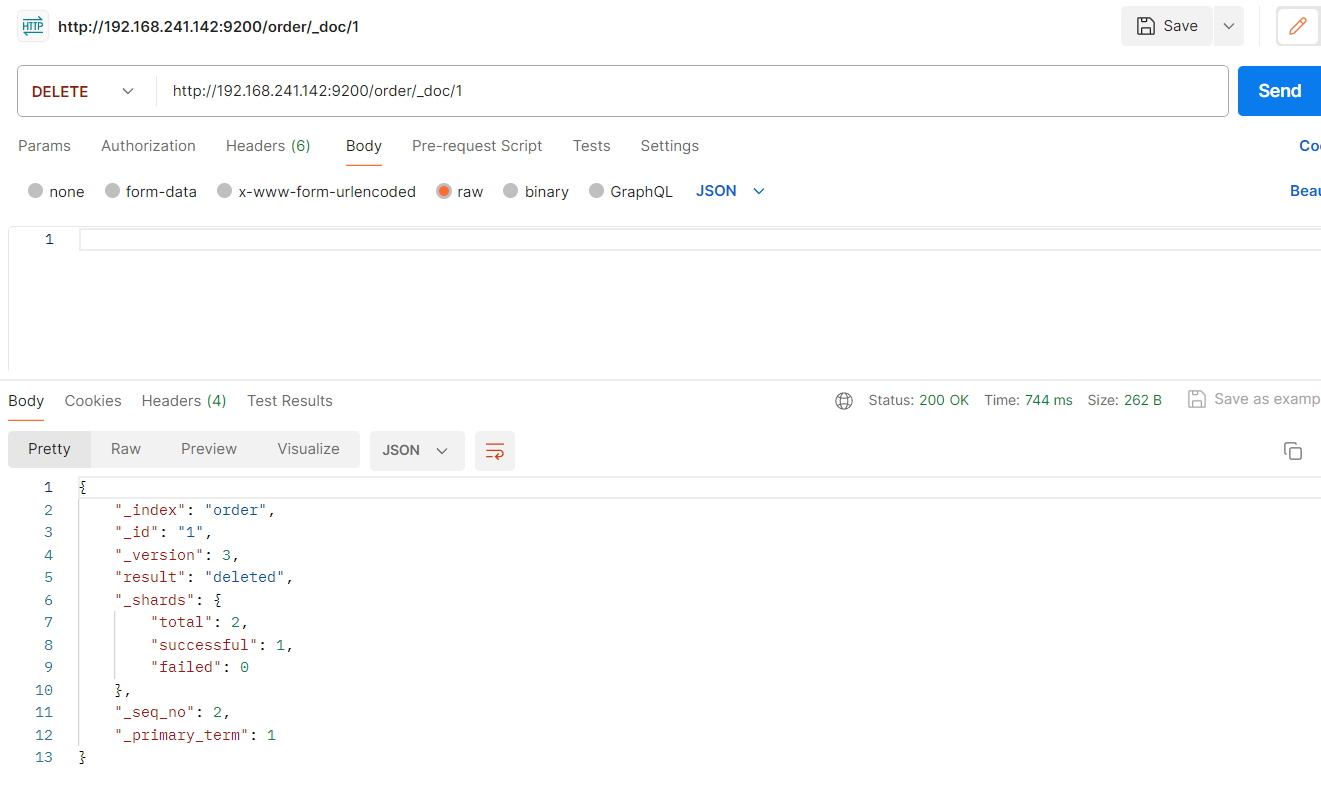
DELETE 删除
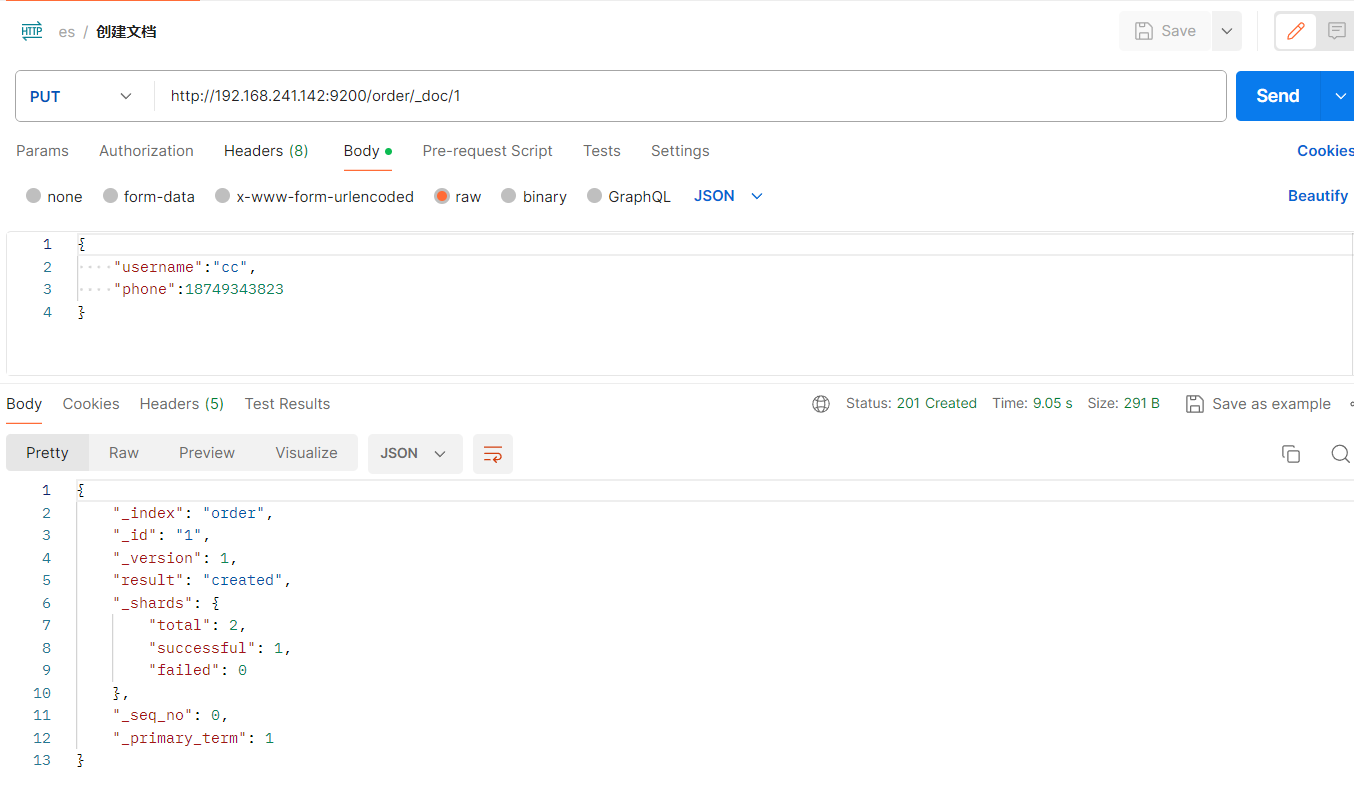
创建文档,向 ES 服务器发 PUT 请求 : http://192.168.241.142:9200/order/_doc/1, 请求体JSON内容为:{"tile":"哈哈哈"...}
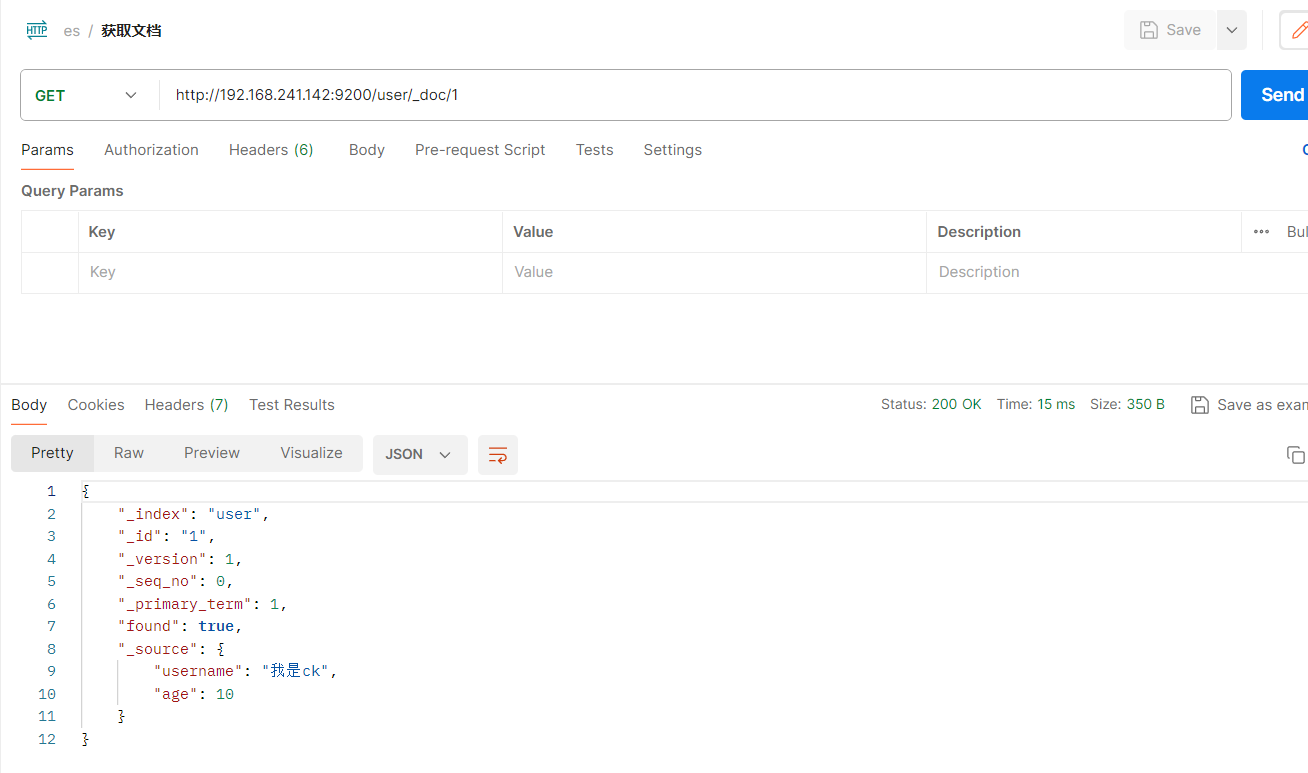
主键查询,向 ES 服务器发 GET 请求 : http://192.168.241.142:9200/user/_doc/1
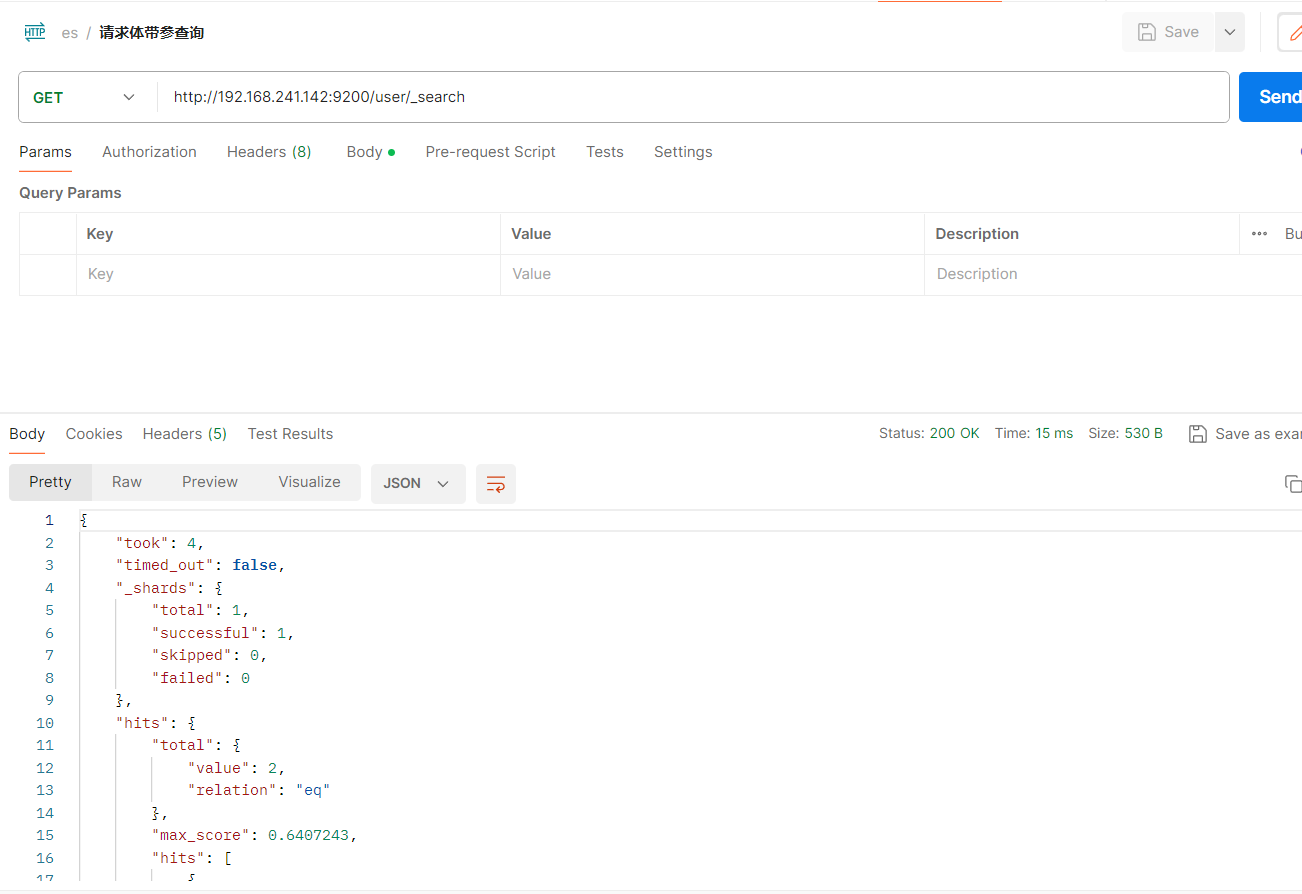
请求体带参查询 http://192.168.241.142:9200/user/_search
全部修改,向 ES 服务器发 POST 请求 : http://127.0.0.1:9200/shopping/_doc/1,请求体JSON内容为:{"tile":"哈哈哈"...}
删除,向 ES 服务器发 DELETE 请求 :http://192.168.241.142:9200/order/_doc/1
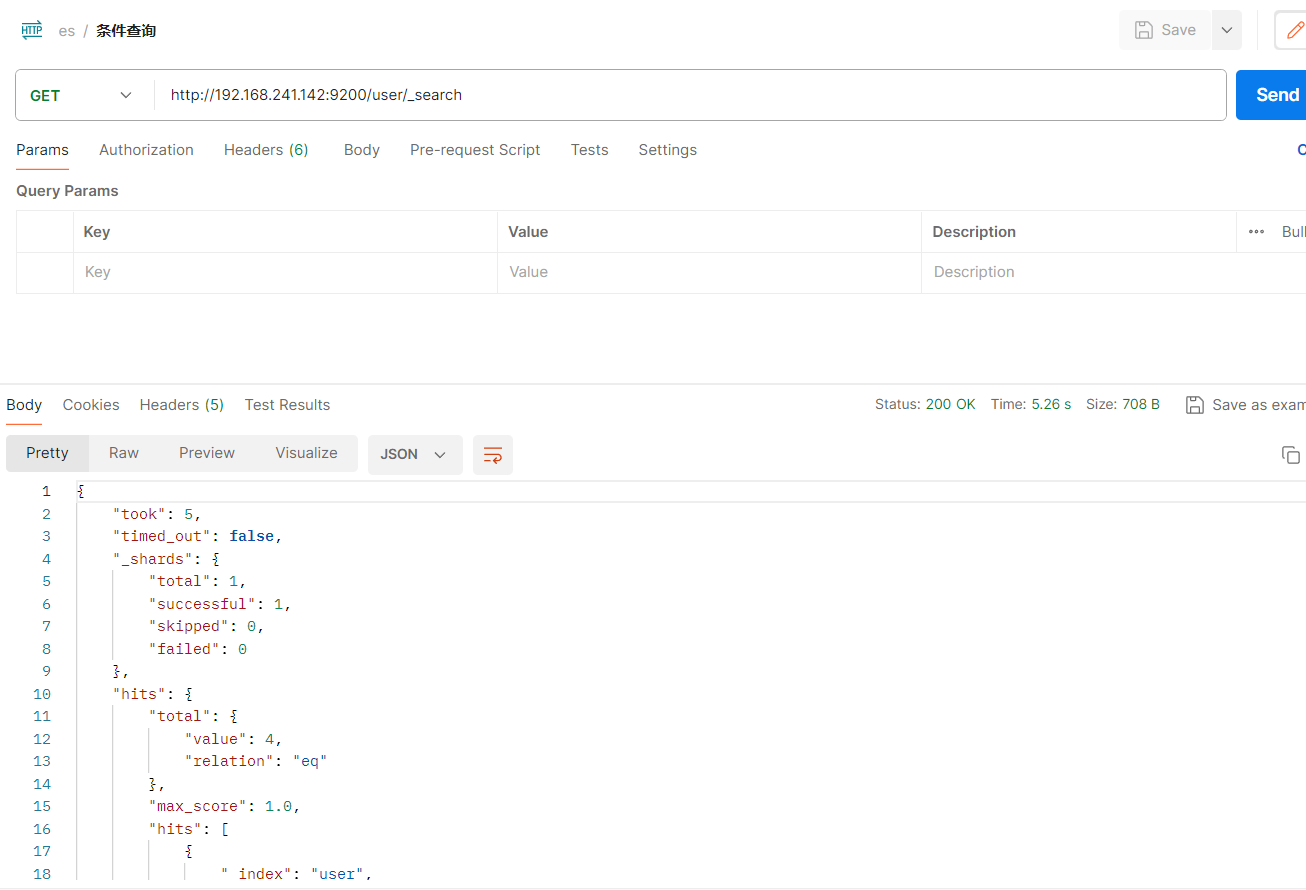
条件查询 向 ES 服务器发 GET 请求: http://192.168.241.142:9200/user/_search
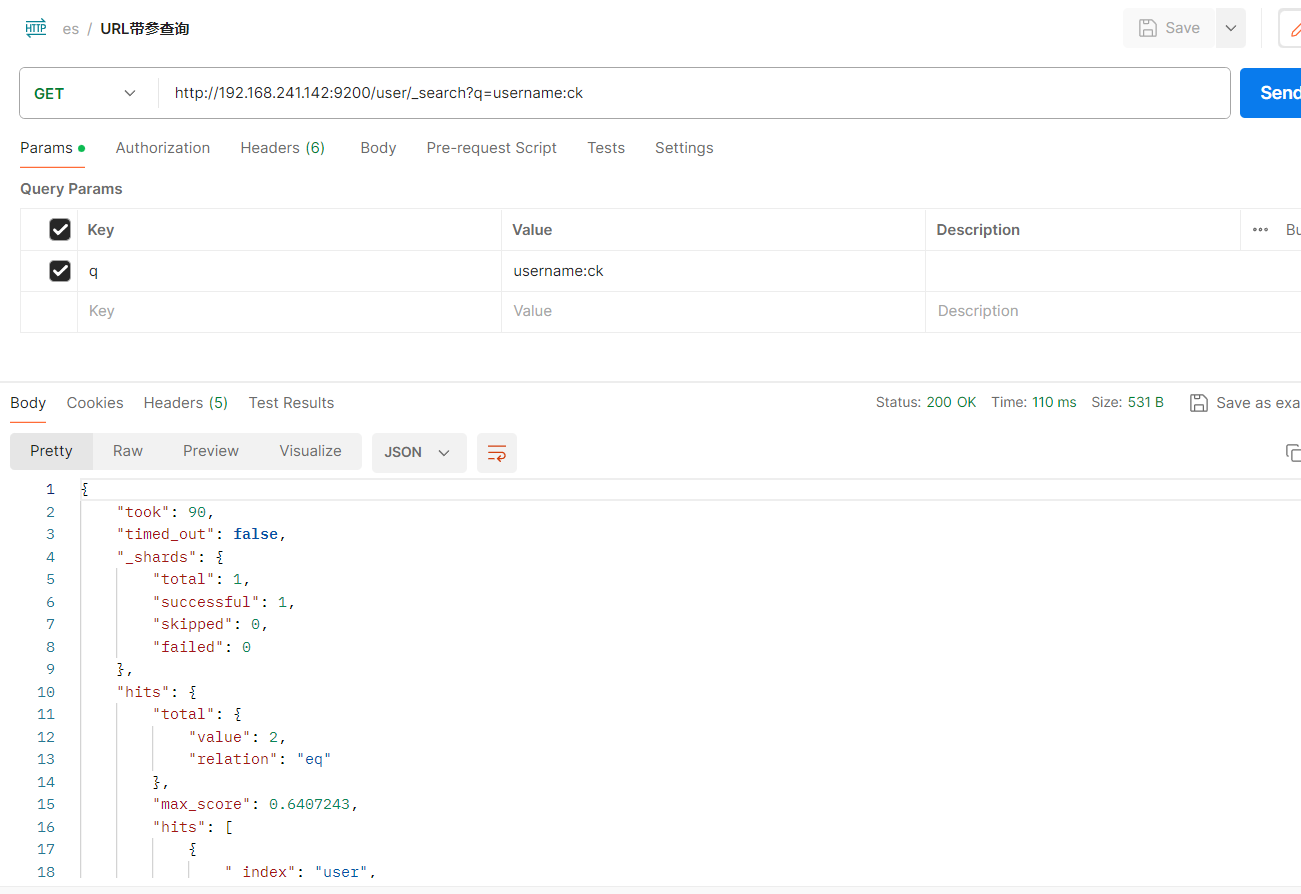
URL带参查询, 向 ES 服务器发 GET 请求: http://192.168.241.142:9200/user/_search?q=username:ck
请求体带参查询,向 ES 服务器发 GET 请求: http://127.0.0.1:9200/user/_search,请求体为json
{
"query":{
"match":{
"username":"ck"
}
}
}
添加,put请求类型,添加id=1的文档
PUT http://192.168.241.142:9200/order/_doc/1
get请求类型,获取id=1的文档
GET http://192.168.241.142:9200/user/_doc/1
条件查询
GET http://192.168.241.142:9200/user/_search
URL带参查询 http://192.168.241.142:9200/user/_search?q=username:ck
请求体带参查询 http://192.168.241.142:9200/user/_search
post请求类型,更新id=1的文档的phone字段:
POST http://192.168.241.142:9200/order/_update/1
delete请求类型,删除id=1的文档:
DELETE http://192.168.241.142:9200/order/_doc/1
本文为崔凯原创文章,转载无需和我联系,但请注明来自冷暖自知一抹茶ckhttp://www.cksite.cn

- 最新评论
- 总共0条评论