elasticsearch8和analysis-ik的安装使用
elasticsearch安装完成之后,就可以进行全文搜索分词了。
但是,elasticsearch内置的分词器对中文相当不友好;只会一个只一个字的分;
[root@bogon www.es.com]# curl -H 'Content-Type: application/json' -XGET 'localhost:9200/_analyze?pretty' -d '{"text":"ck技术博客"}'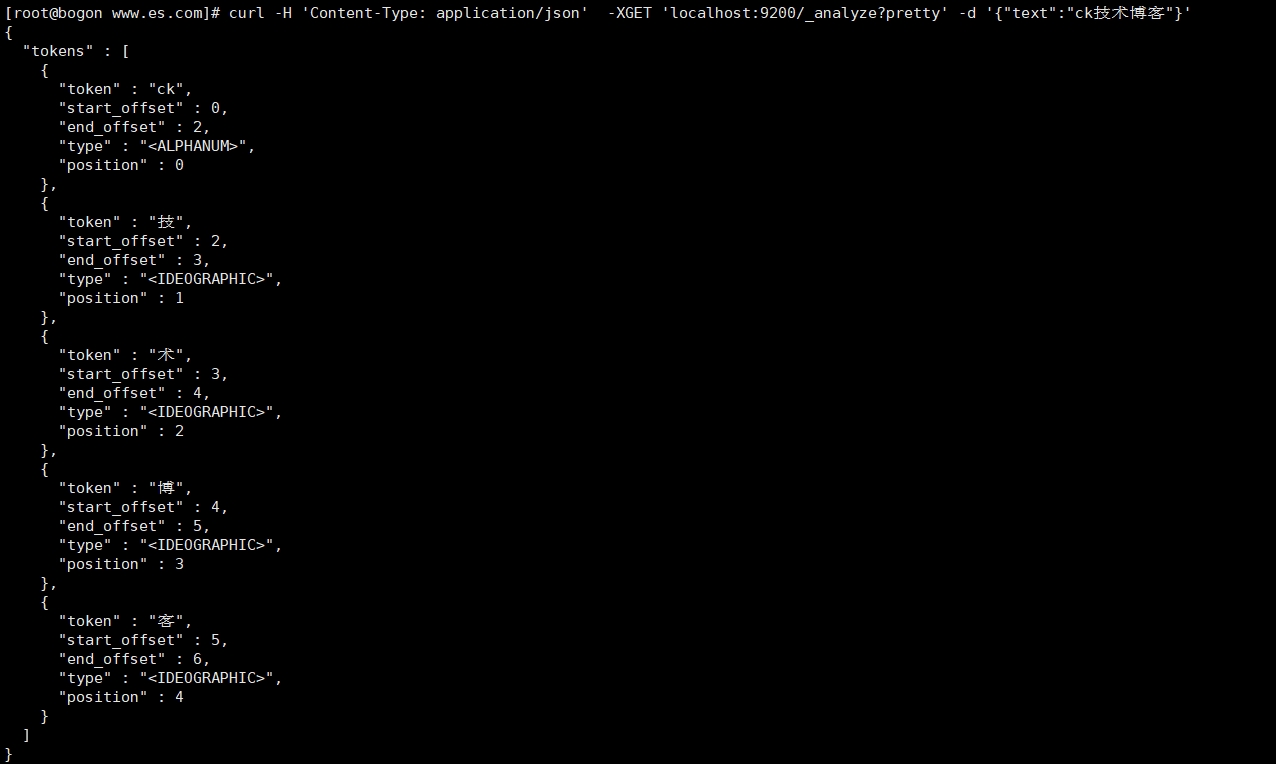
所以我们需要一个中文分词器;
这里选择和 elasticsearch 配套的 ik-analyzer ;
安装IK分词器
注意:ik分词插件必须与es的版本保持一致,否则将导致ES无法正常启动!
1. 下载地址: https://github.com/medcl/elasticsearch-analysis-ik/tags ,
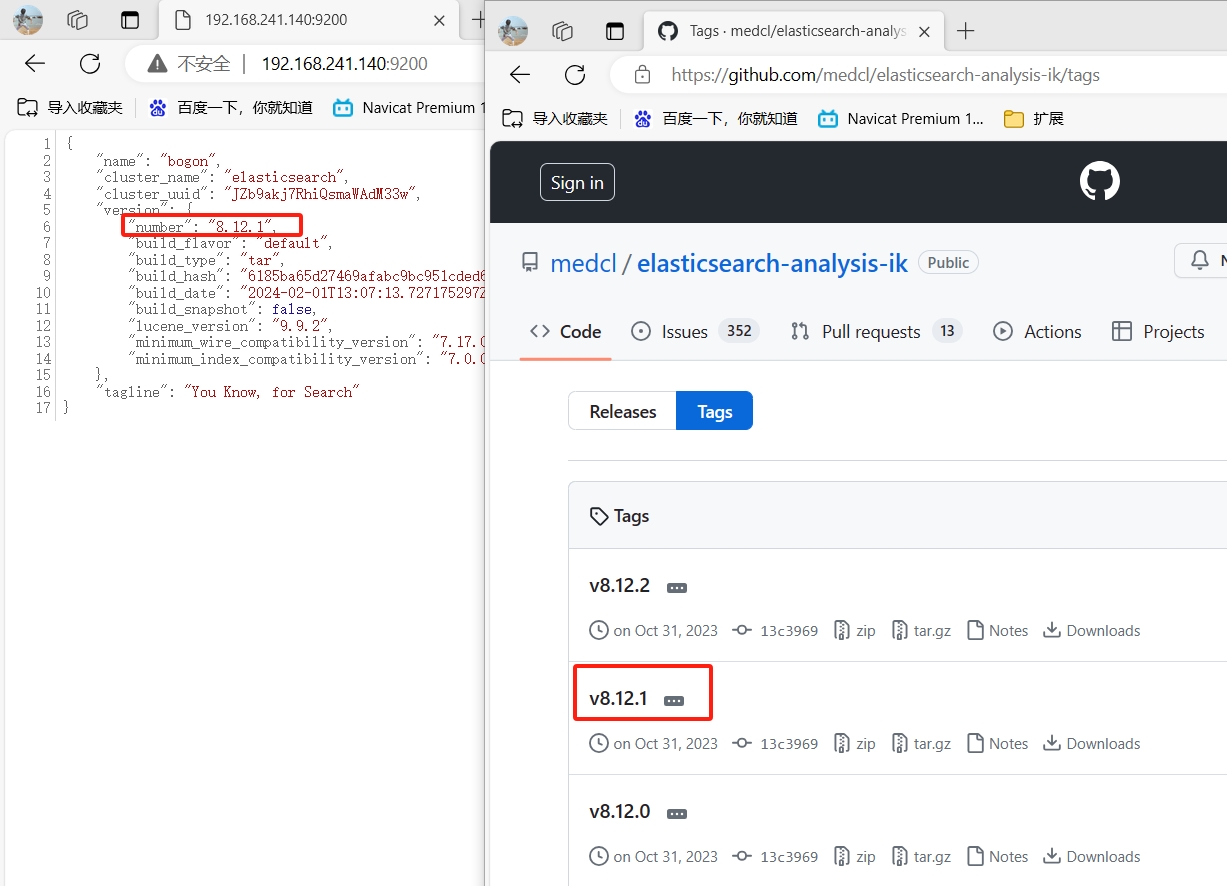
2. 下载 elasticsearch-analysis-ik-8.12.1.zip 文件。
将下载好的ik分词包上传到服务器/usr/local/elasticsearch-8.12.1/plugins目录中,并进行解压
或 手动创建ik分词器,并将ik分词包上传到服务器指定目录
[root@bogon plugins]# tree .
.
└── ik
    ├── commons-codec-1.11.jar
    ├── commons-logging-1.2.jar
    ├── config
    │   ├── extra_main.dic
    │   ├── extra_single_word.dic
    │   ├── extra_single_word_full.dic
    │   ├── extra_single_word_low_freq.dic
    │   ├── extra_stopword.dic
    │   ├── IKAnalyzer.cfg.xml
    │   ├── main.dic
    │   ├── preposition.dic
    │   ├── quantifier.dic
    │   ├── stopword.dic
    │   ├── suffix.dic
    │   └── surname.dic
    ├── elasticsearch-analysis-ik-8.12.1.jar
    ├── httpclient-4.5.13.jar
    ├── httpcore-4.4.13.jar
    ├── plugin-descriptor.properties
    └── plugin-security.policy

2 directories, 19 files

[root@bogon plugins]# chown -R cc:cc /usr/local/elasticsearch-8.12.1/plugins/ik
注意:
1.这里的ik分词版本必须和es的版本保持一致,否则es将无法启动;
2.plugins/目录下需要手动创建ik目录;
3.需要注意ik目录权限不要是root且ik目录的名字只能为ik,名称不可修改!
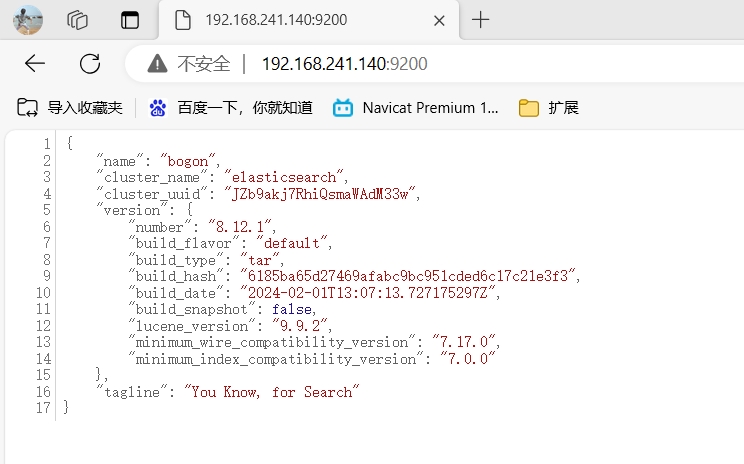
3. 从新启动ES,在浏览器访问http://192.168.241.140:9200/看到如下界面表示成功.
看下 ik-analyzer 的效果;
[root@bogon www.es.com]# curl -H 'Content-Type: application/json'  -XGET 'localhost:9200/_analyze?pretty' -d '{"analyzer":"ik_max_word","text":"白俊遥技术博客"}'
{
  "tokens" : [
    {
      "token" : "白",
      "start_offset" : 0,
      "end_offset" : 1,
      "type" : "CN_CHAR",
      "position" : 0
    },
    {
      "token" : "俊",
      "start_offset" : 1,
      "end_offset" : 2,
      "type" : "CN_CHAR",
      "position" : 1
    },
    {
      "token" : "遥",
      "start_offset" : 2,
      "end_offset" : 3,
      "type" : "CN_CHAR",
      "position" : 2
    },
    {
      "token" : "技术",
      "start_offset" : 3,
      "end_offset" : 5,
      "type" : "CN_WORD",
      "position" : 3
    },
    {
      "token" : "博客",
      "start_offset" : 5,
      "end_offset" : 7,
      "type" : "CN_WORD",
      "position" : 4
    }
  ]
}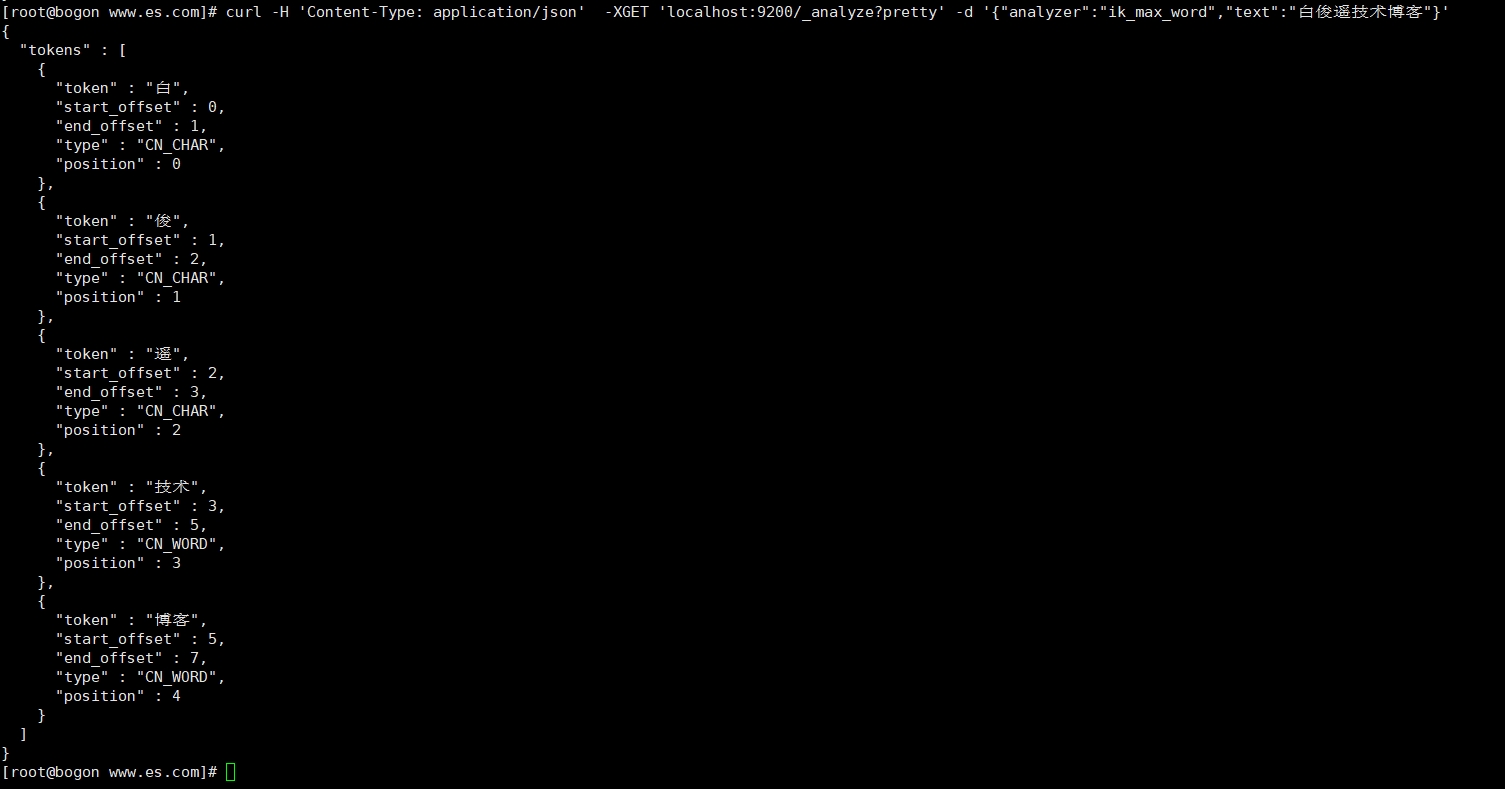
我们可以看到 技术 和 博客 两个词语已经成功组合到了一起;
然而"白俊遥"被硬生生的拆成了3个字;
还好强大的 analysis-ik 支持自定义词库;
1)、进入IK分词目录,进入config目录,增加自定义词库;
[root@bogon bin]# cd /usr/local/elasticsearch-8.12.1/plugins/ik/config/
[root@bogon config]# ls
baijunyao.dic   extra_single_word.dic       extra_single_word_low_freq.dic  IKAnalyzer.cfg.xml  preposition.dic  stopword.dic  surname.dic
extra_main.dic  extra_single_word_full.dic  extra_stopword.dic              main.dic            quantifier.dic   suffix.dic
[root@bogon config]# vim IKAnalyzer.cfg.xml
2)、编辑内容
<?xml version="1.0" encoding="UTF-8"?>
<!DOCTYPE properties SYSTEM "http://java.sun.com/dtd/properties.dtd">
<properties>
        <comment>IK Analyzer 扩展配置</comment>
        <!--用户可以在这里配置自己的扩展字典 -->
        <entry key="ext_dict">baijunyao.dic</entry>
         <!--用户可以在这里配置自己的扩展停止词字典-->
        <entry key="ext_stopwords"></entry>
        <!--用户可以在这里配置远程扩展字典 -->
        <!-- <entry key="remote_ext_dict">words_location</entry> -->
        <!--用户可以在这里配置远程扩展停止词字典-->
        <!-- <entry key="remote_ext_stopwords">words_location</entry> -->
</properties>
3)、在当前目录增加一个 增加一个 白俊遥 到词库;
[root@bogon config]# echo '白俊遥' > /usr/local/elasticsearch-8.12.1/plugins/ik/config/baijunyao.dic
4)、重新启动下服务;
再次执行命令,再看下分词效果 ;
curl -H 'Content-Type: application/json' -XGET 'localhost:9200/_analyze?pretty' -d '{"analyzer":"ik_max_word","text":"白俊遥技术博客"}'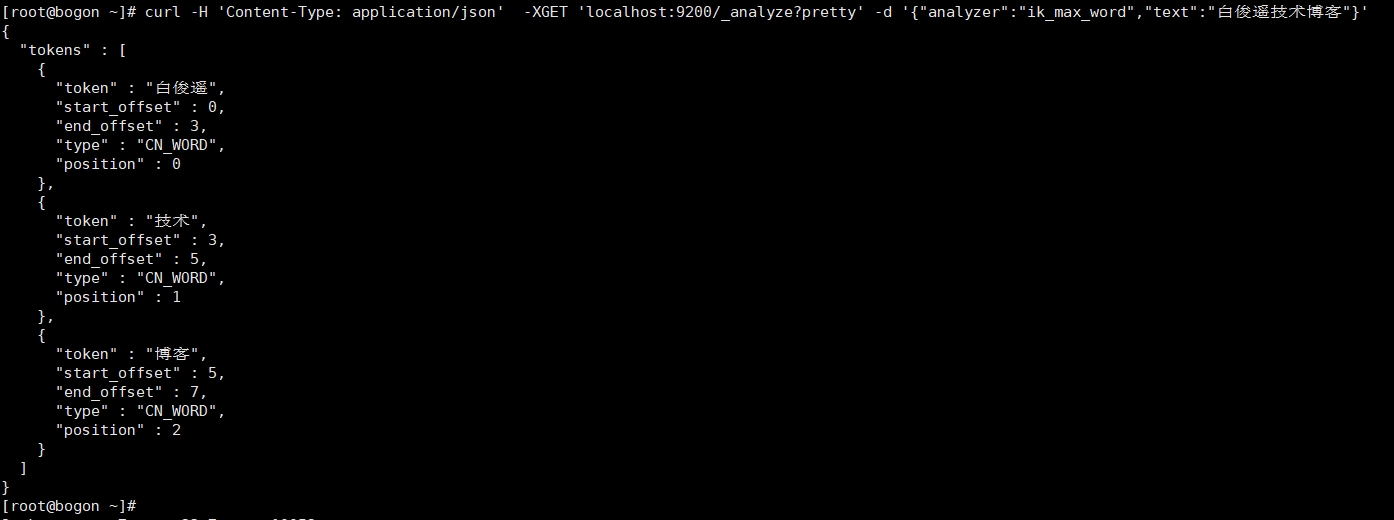
问题1:在使用PHP+elasticsearch的时候出现PHP Fatal error: Uncaught Error: Class "Elasticsearch\ClientBuilder" not found in......自己当时使用的是composer安装的elasticsearch php按照教程在页面引入了autoload.php,但是还是报错。提示"Elasticsearch\ClientBuilder"类没有找到。
原来elasticsearch php的类的文件夹变化了。打开ClientBuilder.php,可以看见内容为:
namespace Elastic\Elasticsearch;

use Elastic\Elasticsearch\Exception\AuthenticationException;
use Elastic\Elasticsearch\Exception\ConfigException;
use Elastic\Elasticsearch\Exception\HttpClientException;
use Elastic\Elasticsearch\Exception\InvalidArgumentException;

全部都是在Elastic这个文件夹内。所以我们将代码修改为
require 'vendor/autoload.php';
use Elastic\Elasticsearch\ClientBuilder;

$builder = Elastic\Elasticsearch\ClientBuilder::create();

$builder->setHosts(array("127.0.0.1:9200"));
$client = $builder->build();
参考:
php Laravel 使用elasticsearch+ik中文分词器搭建搜索引擎
本文为崔凯原创文章,转载无需和我联系,但请注明来自冷暖自知一抹茶ckhttp://www.cksite.cn

- 最新评论
- 总共0条评论